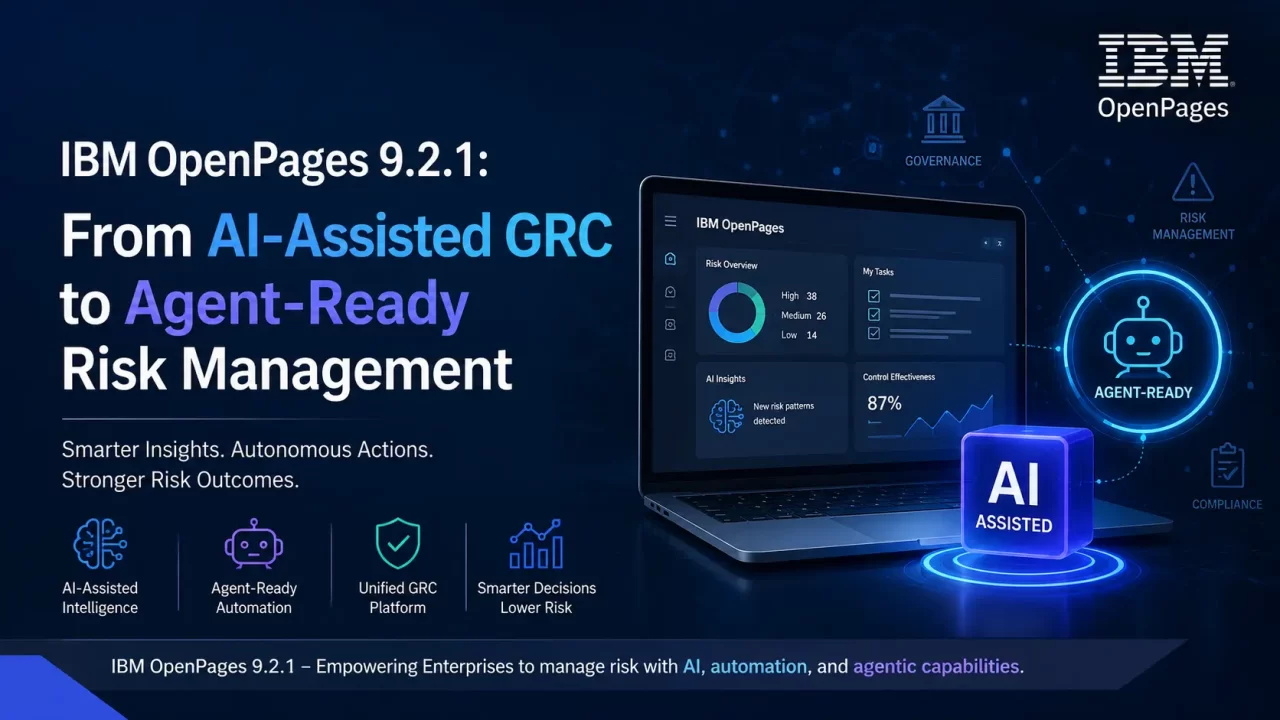

IBM OpenPages 9.2.1 introduces a significant evolution in how organizations can use AI inside Governance, Risk and Compliance (GRC). The release goes beyond adding isolated AI features: it connects AI models, workflows, questionnaires, APIs and the Model Context Protocol (MCP), creating a foundation for more intelligent and increasingly agent-driven GRC operations.
IBM OpenPages 9.2.1 became available in June 2026 and builds on the AI capabilities introduced throughout the 9.2 release. Alongside AI improvements, the release adds enhancements to GRC Canvas, dashboards, workflows, questionnaires, configuration management, security and SaaS capabilities.
For GRC teams, the most interesting question is not simply “What new features were added?”
The more important question is:
How does OpenPages 9.2.1 change the way risk and compliance processes can be designed and automated?
This article explores the most important changes.
What is new in IBM OpenPages 9.2.1?
IBM groups the 9.2.1 enhancements into several areas:
– GRC Canvas
– AI enhancements
– Questionnaire enhancements
– Workflow and UI improvements
– Reporting
– Administration and configuration
– Object movement
– SaaS security and infrastructure
– Platform and environment support
However, the biggest architectural theme is clearly AI moving closer to the execution layer of GRC.
OpenPages already provides a configurable GRC platform covering areas such as operational risk, regulatory compliance, internal audit, IT governance, third-party risk, model risk, ESG, policy management and financial controls. IBM’s current product direction combines this GRC foundation with embedded AI and agent-based automation.
1. Multi-File AI Prompts: AI Can Now Analyze Multiple Documents Together
One of the most practical additions in OpenPages 9.2.1 is multi-file AI prompt support.
Earlier in the 9.2 release, IBM introduced file-based AI input, allowing supported AI models to analyze an uploaded document. In 9.2.1, this capability is extended so that multiple documents can be uploaded and referenced within a single AI prompt.
IBM currently documents file upload support for Gemini and OpenAI models in 9.2.1.
Why is this important?
Real-world GRC processes rarely depend on one document.
Consider a vendor risk assessment.
A reviewer might need to compare:
– Vendor questionnaire
– SOC 2 report
– ISO 27001 certificate
– Information security policy
– Contract
– Business continuity document
– Previous assessment
Previously, an AI operation working with a single document had limited context.
With multi-file input, the AI model can potentially analyze the documents together.
Example
Imagine a Third-Party Risk Management process.
A vendor submits:
Vendor_Security_Questionnaire.pdf
SOC2_Report.pdf
Business_Continuity_Plan.pdf
Data_Privacy_Policy.pdf
An OpenPages AI model could be configured to analyze the documents and produce structured output such as:
Risk Area:
Data Security
Finding:
SOC 2 evidence indicates that security controls are in place,
but the submitted documentation does not provide sufficient
evidence for the requested encryption requirement.
Risk Level:
Medium
Recommended Action:
Request additional encryption-at-rest evidence from the vendor.
Confidence:
0.87
The important point is that this moves AI from document summarization toward evidence-based GRC analysis.
IBM specifically identifies cross-document analysis as a use case for compliance, risk assessment and questionnaire automation.
2. AI-Powered Questionnaire Answering
Another major enhancement is AI-assisted questionnaire completion.
This is particularly interesting for organizations that run large-scale recurring assessments.
OpenPages 9.2.1 allows AI models to populate answers across an entire questionnaire assessment.
Administrators can configure AI models, while questionnaire authors can associate those models with questionnaire templates. Respondents can then use the AI functionality during the assessment.
The workflow becomes:
Questionnaire
↓
Supporting Documents
↓
AI Model
↓
Suggested Answers
↓
Reasoning / Confidence
↓
Human Review
↓
Final Assessment
This is an important distinction.
The feature is not simply:
“Let AI answer everything.”
Instead, the more useful enterprise pattern is:
AI generates an initial answer → human validates it → OpenPages retains the resulting GRC record.
Structured AI output
OpenPages allows questionnaire AI models to produce structured information including:
– Question ID
– Answer
– Reasoning
– Confidence score
This is important because structured output is much easier to incorporate into enterprise workflows than unstructured text.
Example
Suppose an organization has a 150-question vendor assessment.
Instead of manually answering every question from supporting documentation:
150 Questions
↓
AI analyzes evidence
↓
AI proposes answers
↓
Reviewer validates exceptions
↓
Assessment completed
The human still owns the final decision, but the amount of manual research can be substantially reduced.
3. View-Based AI Models in Workflows
This is one of the most technically interesting changes for OpenPages developers and administrators.
OpenPages 9.2.1 expands workflow AI operations to support view-based models.
Previously, AI models could work with object fields. Now a workflow can send a complete OpenPages view context to the AI model.
IBM describes two types of AI models that can be used in workflow actions:
Field-based model
The model works with specific object fields.
For example:
Issue Description
Issue Rating
Issue Status
Issue Category
The AI processes those fields and can write results back into fields or tags.
View-based model
The model receives the broader context defined by an OpenPages view.
That can include:
Root Object
├── Fields
├── Related Objects
│ ├── Child Object
│ └── Child Object
└── Additional Related Data
This is a much richer input model.
IBM’s documentation confirms that starting with 9.2.1, workflow actions can execute both field-based and view-based AI models.
4. Why View-Based AI Matters
This feature can fundamentally change how OpenPages workflows are designed.
Consider an Issue workflow.
A traditional rule might look like:
IF Issue Rating = High
THEN
Assign to Risk Manager
That is deterministic and works well.
But a view-based AI model could potentially receive:
Issue
├── Description
├── Rating
├── Business Entity
├── Related Risk
├── Related Control
├── Action Plans
└── Supporting Information
The AI model now has substantially more context.
It could evaluate the broader situation and produce recommendations such as:
Potential Root Cause
Recommended Risk Category
Suggested Action Plan
Potentially Related Issues
Suggested Priority
The workflow can then use the AI result as part of the next step.
This creates a powerful pattern:
OpenPages Object
↓
Workflow Trigger
↓
View-Based AI Model
↓
AI Analysis
↓
Structured Result
↓
Workflow Action
↓
OpenPages Update
IBM explicitly documents that the selected view determines the fields and related-object data sent to the AI model.
5. OpenPages MCP Server: The Bigger Architectural Change
If there is one feature in the 9.2 release family that developers should pay close attention to, it is the OpenPages MCP Server.
MCP stands for Model Context Protocol.
The objective is to provide a standardized way for AI agents to interact with OpenPages.
IBM describes the MCP server as an interface that enables AI agents to interact with OpenPages GRC objects through a standardized protocol.
This changes the interaction model.
Traditional interaction:
User
↓
OpenPages UI
↓
Search / Edit / Create
↓
GRC Object
Agent-based interaction:
User / AI Agent
↓
MCP
↓
IBM OpenPages
↓
Risk / Issue / Control / Audit / etc.
An AI agent can potentially query, create, update or otherwise work with OpenPages objects through governed interfaces rather than requiring every operation to be manually performed through the UI.
IBM identifies use cases including querying GRC data, creating and updating objects, validating information, generating content and automating routine GRC operations.
6. SaaS-Native MCP Server in OpenPages 9.2.1
OpenPages 9.2 introduced the MCP server capability, but 9.2.1 takes another step by introducing a cloud-native MCP Server deployment for SaaS customers on AWS and IBM Cloud.
This means SaaS customers do not need to provision and manage their own MCP infrastructure for this capability.
IBM also states that:
– Authorization is required for MCP connections and tool execution.
– All object types are included automatically.
– The object schema is automatically synchronized with OpenPages.
The MCP server can also be integrated with agentic platforms such as IBM watsonx Orchestrate.
This is significant because GRC automation is moving from conventional API integrations toward agent-compatible interfaces.
7. Full Object Context Through REST API
OpenPages 9.2.1 also introduces a REST API capability specifically useful for agentic workflows.
The new endpoint is:
/v2/contents/{resource_id}/object_json/{view_id}
It returns a JSON representation of an object and the related information represented in the selected Task View.
The response can include:
– Root object
– Related objects
– Nested objects
– Relationship metadata
– Attached documents
IBM gives examples such as Audit, Risk and Process objects.
Why is this useful?
Imagine an AI agent needs to generate an audit report.
Instead of retrieving:
Audit
Risk 1
Risk 2
Risk 3
Control 1
Control 2
Finding 1
Finding 2
through multiple independent API operations, the agent can obtain a representation based on the OpenPages view context.
The architecture becomes:
OpenPages
↓
Task View
↓
Object JSON
↓
AI Agent
↓
Analysis
↓
Report / Recommendation / Action
This is exactly the type of data structure AI orchestration systems need.
8. Out-of-the-Box AI Model Templates
OpenPages 9.2.1 also provides several preconfigured AI model templates.
IBM documents templates including:
– Issue Similarities
– Audit Plan Creation
– Basel Classification
– Vendor View and File Analysis
– File Summary with Gemini
– File Summary with OpenAI
– PII Detection
– Questionnaire Answering with Gemini
These templates provide a starting point rather than requiring every organization to build its AI integration from scratch.
For OpenPages administrators, this is important because the value of AI is increasingly shifting from:
“Can we connect an AI model?”
to:
“Can we operationalize AI inside an existing GRC process?”
9. Conditional Visibility for AI Features
AI adoption in enterprise GRC cannot simply be enabled for every user.
Different users may have:
– Different roles
– Different regulatory responsibilities
– Different geographic restrictions
– Different data access permissions
OpenPages 9.2.1 therefore introduces configuration for conditional visibility of the View AI Insights functionality.
Visibility can be controlled based on factors such as:
– User roles
– Fields
– Data-visa restrictions
IBM specifically positions this capability as supporting compliance with regional AI usage agreements.
This is a good example of why enterprise AI is different from consumer AI.
The question is not only:
“Can AI do this?”
It is also:
“Who is allowed to use it, on which data, and under what controls?”
10. GRC Canvas Gets a Major Usability Upgrade
AI is the headline story, but 9.2.1 also brings substantial improvements to GRC Canvas.
The new capabilities include:
– Undo
– Redo
– Canvas copy
– Canvas preview
– Import/export of Canvas configurations
– Print Canvas
– More flexible object selection
– Tags as Canvas node fields
These changes make Canvas more useful as an operational visualization and configuration tool rather than simply a visual representation.
For example:
Business Entity
↓
Process
↓
Risk
↓
Control
↓
Issue
↓
Action Plan
can be represented visually and explored more naturally.
The ability to export and import Canvas configurations is particularly useful for organizations maintaining multiple environments.
For example:
DEV
↓
TEST
↓
UAT
↓
PRODUCTION
A reusable Canvas configuration can reduce manual recreation between environments.
11. Relationship Impact Analysis
This is an important administrator-focused enhancement.
Before deleting or disabling a relationship, OpenPages 9.2.1 can show its potential impact.
The analysis can identify dependencies involving:
– Calculations
– Views
– Reports
– Existing objects
This addresses a common enterprise GRC configuration problem.
Consider:
Relationship A
↓
Calculation X
↓
View Y
↓
Report Z
Previously, changing the relationship could potentially require administrators to manually identify downstream dependencies.
Impact analysis provides visibility before the change is made.
For large OpenPages implementations with extensive configuration, this can reduce the risk of breaking dependent functionality.
12. Configuration Packaging Improvements
OpenPages 9.2.1 also improves configuration migration.
New capabilities include:
– Package difference comparison
– Filtering configuration items by date
– Faster searching
– Dependency validation
– REST API support
– Pagination improvements
For OpenPages development teams, this is particularly relevant.
A typical promotion process might be:
Developer
↓
Development
↓
Configuration Package
↓
Test
↓
UAT
↓
Production
Dependency validation can help identify configuration items that require dependencies that are missing from the target environment.
That is especially valuable when moving:
– Views
– Calculations
– Workflows
– Object configurations
– Relationships
– Other GRC configuration components
between environments.
Conclusion
IBM OpenPages 9.2.1 represents another significant step in IBM’s evolution of OpenPages toward AI-enabled, workflow-driven and agent-ready GRC.
The most important capabilities are not isolated UI improvements. They are the features that connect:
Documents → AI → OpenPages Views → Workflows → REST APIs → MCP → AI Agents.
For organizations already using OpenPages, the immediate opportunities are practical:
– Automate questionnaire preparation
– Analyze multiple pieces of evidence
– Generate risk and compliance insights
– Use broader object context in AI workflows
– Expose GRC data to governed AI agents
– Reduce manual assessment effort
– Improve configuration management
– Strengthen security and encryption controls
For OpenPages developers, this release is equally important because the platform is expanding beyond traditional GRC configuration.
The next generation of OpenPages development will increasingly involve understanding AI models, prompts, structured outputs, workflow automation, APIs and agent integration alongside the traditional OpenPages object model.
And that is arguably the most important message from the 9.2.1 release:
OpenPages is moving from a system that helps people perform GRC work toward a platform where governed AI can participate in performing that work.
IBM OpenPages 9.2.1: From AI-Assisted GRC to Agent-Ready Risk Management