

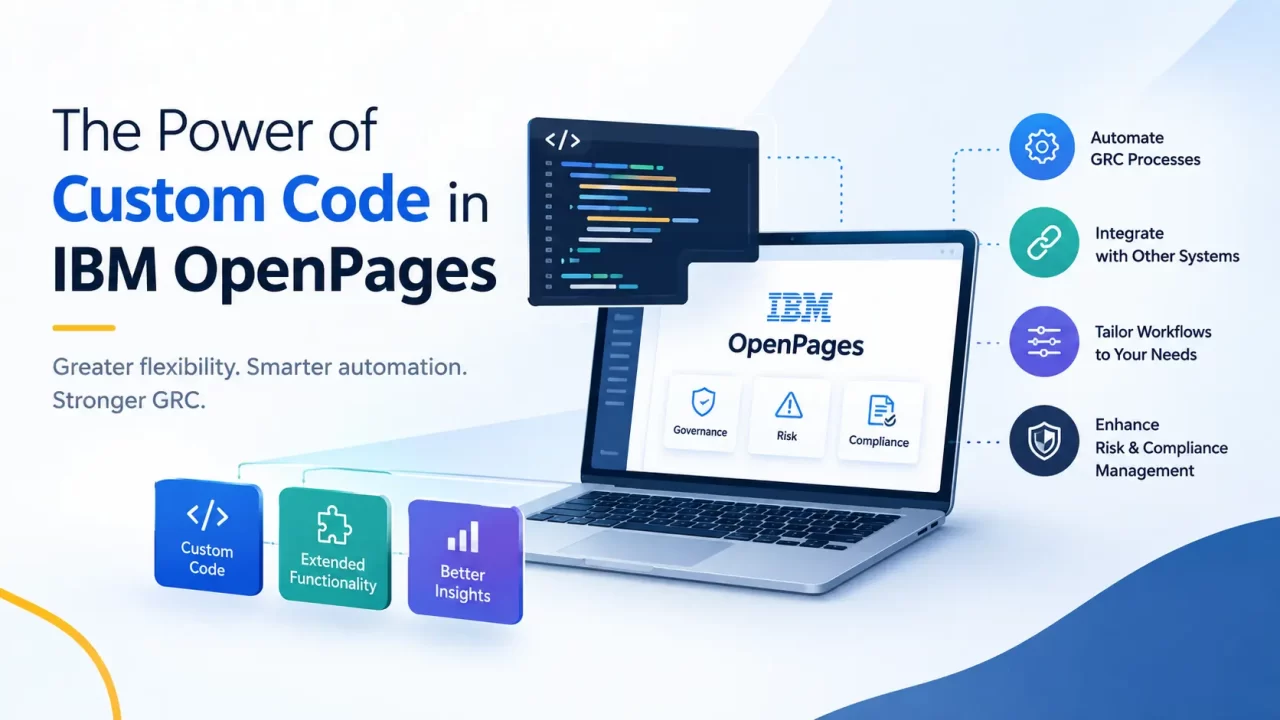
What the OpenPages API Lets You Build Once You Step Outside the Configuration Screens
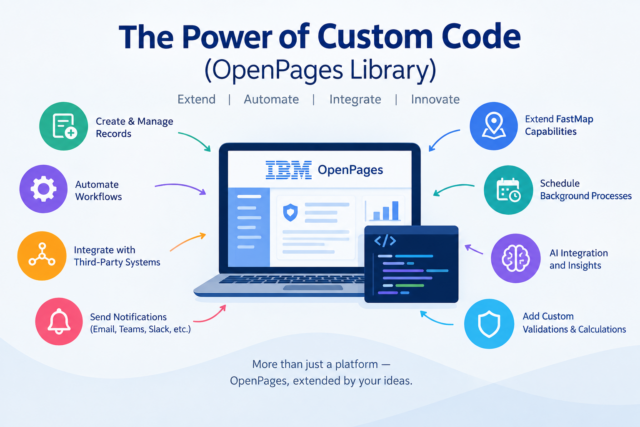
A practitioner’s walkthrough of triggers, custom workflow actions, and the integrations they make possible
Overview
IBM OpenPages provides a strong set of out-of-the-box capabilities for Governance, Risk, and Compliance (GRC). However, real-world implementations rarely stop at standard configuration.
Every organization has its own processes, validation rules, integrations, approval flows, and reporting requirements. This is where custom code becomes an important extension to OpenPages.
Custom code allows OpenPages to go beyond its standard capabilities and address business requirements that cannot be achieved through configuration alone.
The objective is not to replace the standard OpenPages functionality, but to extend it where additional flexibility, automation, or integration is required.
Why Custom Code in OpenPages?
In a typical OpenPages implementation, requirements often start with configuration:
- Configure an object type
- Add fields
- Create views
- Configure workflows
- Define calculations
- Configure profiles and security
- Use FastMap for data loading
But eventually, requirements such as these may appear:
- Validate data before creating a record.
- Automatically create related records.
- Check whether a similar record already exists.
- Build a relationship hierarchy from an Excel file.
- Start a workflow automatically.
- Send a notification to an external platform.
- Retrieve information from another system.
- Generate content using AI.
- Perform a complex business calculation.
- Execute a scheduled background process.
This is where custom code can add another layer of capability to OpenPages.
Custom Code as an Extension Layer
A simple way to look at the OpenPages architecture is:
Out-of-the-Box OpenPages
↓
Configuration & Workflows
↓
Custom Code / Custom APIs
↓
External Systems & Services
Custom code can act as the bridge between OpenPages functionality and business-specific requirements.
It can interact with OpenPages objects, fields, relationships, workflows, calculations, security, and other platform services while also communicating with external systems.
What Can Custom Code Do?
One of the biggest advantages of the OpenPages API is that custom code can work with many parts of the OpenPages platform.
Object Management
Custom code can be used to:
- Create records
- Read records
- Update records
- Delete records
- Create relationships
- Update reference fields
- Build parent-child structures
- Validate records
For example, an organization may want to automatically create a Finding when a specific condition is identified during an assessment.
Instead of requiring a user to manually create the Finding, custom code can perform the operation automatically.
Business Validation
Standard configuration may not always be sufficient for complex validation requirements.
Custom code can implement validations such as:
- Duplicate record checking
- Cross-object validation
- Conditional mandatory fields
- Naming conventions
- Data consistency checks
- Validation against external systems
Example:
Before importing an Audit from Excel, custom code could check whether an Audit with a similar name already exists and notify the user before proceeding.
Relationship Management
Relationships are a major part of OpenPages implementations.
Custom code can create or update relationships between objects such as:
- Risk → Control
- Control → Test
- Audit → Workpaper
- Finding → Action Plan
- Supplier → Assessment
- Business Entity → Risk
It can also build complex hierarchical structures programmatically.
This becomes particularly useful when large amounts of relationship data need to be created automatically.
Extending FastMap with Custom Code
FastMap provides a convenient way to load data into OpenPages.
However, business requirements may go beyond a standard import.
A custom solution can be built around the FastMap concept to provide additional capabilities such as:
- Pre-import validation
- Duplicate checking
- Custom naming rules
- Relationship creation
- Hierarchy creation
- Data transformation
- Import logging
- Error handling
- Post-import processing
Automating OpenPages Workflows
Workflow automation is another area where custom code can provide significant value.
Custom code can interact with OpenPages workflows to support requirements such as:
- Starting a workflow automatically
- Moving records through workflow stages
- Validating transition conditions
- Performing actions during workflow execution
- Updating records based on workflow events
Triggers: Automation Based on Events
Triggers allow custom logic to execute when specific events occur in OpenPages.
For example:
- Record Created
- Record Updated
- Record Deleted
- Record Associated
- Record Disassociated
- Record Copied
- Record Moved
Custom Actions: Put Business Logic Behind a Button
Triggers are event-driven. Custom Actions are useful when the user explicitly needs to perform an operation.
For example, an OpenPages application could provide actions such as:
- Validate Data
- Check Duplicate
- Generate Report
- Submit for Review
- Create Related Records
- Import Data
- Send Notification
- Generate AI Summary
A Custom Action can therefore provide a simple user experience while complex processing happens behind the scenes.
Third-Party Integrations
One of the most powerful applications of custom code is integration.
OpenPages does not need to operate as an isolated GRC platform. Custom code can act as an integration layer between OpenPages and other enterprise systems.
Examples include:
- ServiceNow
- Splunk
- Qualys
- Tenable
- Jira
- SAP
- Active Directory / LDAP
- Internal enterprise applications
- REST APIs
- Notification platforms
- AI services
Notifications Beyond OpenPages
Another practical use case is external notification.
A business may want to notify users through platforms such as:
- Microsoft Teams
- Slack
- Webex
- SMS
Instead of implementing separate business logic throughout OpenPages, a reusable notification layer can be created. This provides a flexible way to connect OpenPages processes with an organization’s existing communication channels.
Scheduled Automation
Not every requirement needs to happen when a user performs an action.
Some processes need to run automatically at a specific time.
Examples include:
- Daily data synchronization
- Periodic validation
- Overdue record identification
- External system synchronization
- Data cleanup
- Report generation
- Periodic calculations
Custom scheduled processes can therefore handle repetitive background activities without requiring manual execution.
AI Integration
AI is another area where custom code can significantly extend OpenPages.
OpenPages can be connected with AI services to support use cases such as:
- Risk Description Generation
- Control Recommendations
- Finding Summarization
- Duplicate Record Detection
- Audit Summary Generation
- Risk Classification
- Control Analysis
- Natural Language Data Analysis
A typical architecture could look like:
OpenPages
↓
Custom Action / API
↓
AI Integration Layer
↓
AI Model
↓
Response Validation
↓
OpenPages
For example, a user could select a Risk and choose “Generate Risk Description.”
The custom code can send relevant information to an AI service, process the response, validate it, and populate the appropriate OpenPages field.
This creates a more intelligent user experience while keeping OpenPages as the system of record.
Building Reusable Custom Frameworks
Instead of developing every requirement independently, organizations can build reusable custom components.
For example:
Integration Framework
A reusable framework could provide common functionality for:
- REST API calls
- Authentication
- Request/response handling
- Error handling
- Logging
- Retry mechanisms
- Configuration
This framework could then support integrations with multiple external platforms.
Notification Framework
Similarly, a common notification framework could support:
- Teams
- Slack
- Webex
- SMS
The OpenPages business logic only needs to request a notification, while the framework handles the external communication.
This approach makes custom solutions easier to maintain and extend.
The Real Power of Custom Code
The power of OpenPages custom code is not limited to creating or updating records.
It is the ability to connect different capabilities together.
Custom code can act as the connecting layer between:
Data → Business Logic → Workflow → Automation → Integration → AI
This opens the door to solutions that would not be possible through configuration alone.
For example:
- A FastMap-based import utility with custom validation
- A ServiceNow integration for asset information
- A Qualys or Tenable integration for vulnerability data
- Automated Audit ID generation
- Trigger-based record creation
- Custom workflow automation
- Teams or Slack notifications
- AI-powered risk analysis
These are examples of how OpenPages can be extended to fit real business processes instead of forcing business processes to fit within platform limitations.
When Should We Use Custom Code?
Custom code makes sense when:
- The requirement cannot be achieved through standard configuration.
- Complex business logic is required.
- Multiple OpenPages objects need to be processed together.
- External systems need to be integrated.
- Large-scale automation is required.
- Additional validation is required.
- AI or advanced processing is required.
- Existing OOTB functionality needs to be extended.
At the same time, unnecessary customization should be avoided.
Custom solutions should remain:
- Maintainable
- Secure
- Reusable
- Scalable
- Properly logged
- Compatible with the OpenPages version
- Aligned with the standard OpenPages architecture
Conclusion
IBM OpenPages provides a strong foundation out of the box, but custom code can take the platform much further.
From data validation and relationship management to FastMap extensions, triggers, workflows, third-party integrations, notifications, scheduled automation, and AI, custom development provides the flexibility required for real-world enterprise implementations.
The real objective is not to customize everything.
It is to identify where standard OpenPages capabilities are sufficient and where custom code can provide additional value.
That is where the real power of custom code in IBM OpenPages lies — extending the platform without losing the strengths of the platform itself.