

Introduction
An Enterprise Resource Planning (ERP) system is a centralized software solution that helps organizations manage and integrate their major business processes. A good ERP connects departments such as Finance, Human Resources, Procurement, Sales, Inventory, Manufacturing, and Supply Chain in a single system.
A well-designed ERP provides a single source of accurate information, reduces manual work, improves collaboration, and helps organizations make faster and better business decisions.
Importance
A good ERP system is important because it helps organizations:
- Centralize business information and eliminate data silos.
- Improve operational efficiency by automating repetitive tasks.
- Reduce manual errors and duplicate data entry.
- Provide real-time visibility into business operations.
- Improve decision-making through reports, dashboards, and analytics.
- Increase collaboration between different departments.
- Reduce operational costs by optimizing resources and processes.
- Support compliance and governance through better control and audit trails.
- Scale with business growth by supporting new users, locations, and business processes.
Strategies / Key Features
A good ERP should include the following features:
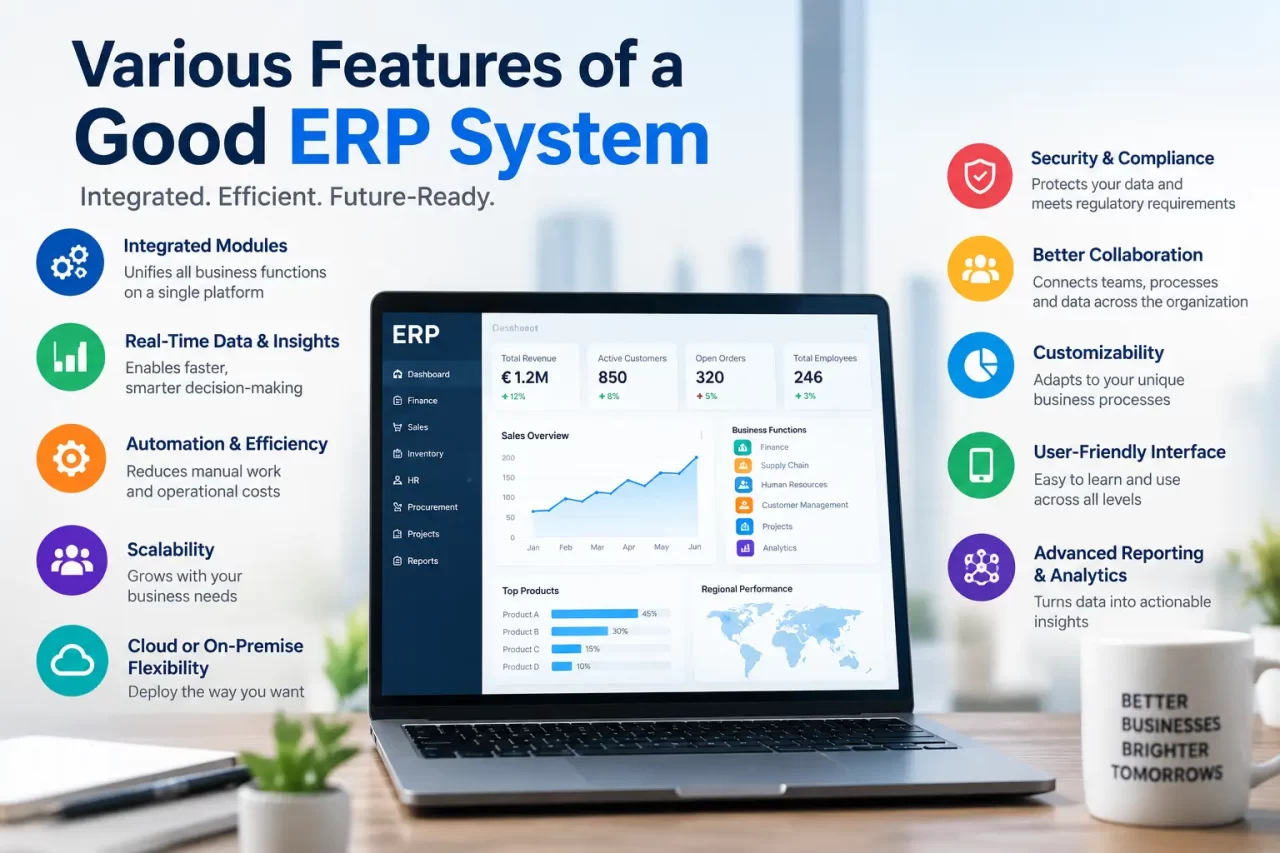
- Integrated Modules: Finance, HR, Procurement, Inventory, Sales, CRM, Manufacturing, and other functions should work together seamlessly.
- Real-Time Data: Users should have access to accurate and up-to-date business information.
- Workflow Automation: Automate approvals, notifications, purchase processes, invoicing, and other repetitive activities.
- Reporting and Analytics: Provide dashboards, reports, KPIs, and data analytics to support decision-making.
- Security and Access Control: Role-based access, authentication, and authorization should protect sensitive business information.
- Scalability: The ERP should be able to support organizational growth and increasing data volumes.
- Customization and Flexibility: Organizations should be able to configure workflows, fields, reports, and processes according to their requirements.
- Integration Capabilities: The ERP should integrate with CRM systems, banking platforms, payroll systems, third-party applications, and other business tools.
- Mobile Accessibility: Users should be able to access important ERP functions through mobile devices when required.
- Audit Trail: Changes and transactions should be recorded to support accountability, monitoring, and compliance.
Use Case Scenarios
Scenario 1 – Manufacturing
A manufacturing company uses ERP to manage raw materials, production schedules, inventory, procurement, and financial transactions. The integration between these functions helps the company reduce delays and improve production planning.
Scenario 2 – Retail / E-commerce
A retail company uses ERP to manage product inventory, sales orders, purchasing, customer information, and financial transactions. When a product is sold, inventory and financial information can be updated automatically.
Scenario 3 – Human Resources
An organization uses ERP to manage employee information, attendance, payroll, leave, recruitment, and performance management. This reduces manual HR activities and provides centralized employee data.
Scenario 4 – Procurement and Finance
When an employee raises a purchase request, the ERP can automatically route it through the required approval workflow. Once approved, the purchase order, invoice, and payment information can be linked together, providing better visibility and control.
Conclusion
A good ERP system does more than automate business processes—it connects departments, improves data visibility, reduces operational complexity, and supports better decision-making. Key features such as financial management, inventory control, CRM, human resource management, reporting and analytics, automation, scalability, security, and integration help businesses operate more efficiently.
Choosing the right ERP depends on an organization’s specific needs, industry requirements, budget, and future growth plans. A well-implemented ERP can provide a centralized platform that improves productivity, strengthens collaboration, and enables sustainable business growth.
Frequently Asked Questions
1. What is an ERP system?
An Enterprise Resource Planning (ERP) system is software that integrates core business functions such as finance, HR, sales, inventory, procurement, and operations into a centralized platform.
2. What are the most important features of a good ERP?
Important features include financial management, inventory management, CRM, HR management, reporting and analytics, workflow automation, security, scalability, and integration capabilities.
3. How does ERP improve business efficiency?
ERP reduces manual work, eliminates duplicate data entry, automates routine processes, and provides real-time information, helping businesses work faster and make informed decisions.
4. Can an ERP system be customized?
Yes. Many modern ERP solutions can be configured or customized to meet specific business processes, industry requirements, workflows, and reporting needs.
5. Is ERP suitable for small businesses?
Yes. ERP solutions are available for businesses of different sizes. Small and growing businesses can choose scalable ERP solutions that expand as their operations grow.
6. How does ERP help with decision-making?
ERP provides centralized and real-time data through dashboards, reports, and analytics, allowing management to monitor performance and make data-driven decisions.
7. What role does security play in an ERP system?
ERP security helps protect sensitive business information through features such as role-based access, authentication, permissions, audit trails, and data protection mechanisms.
8. Why is scalability important in ERP?
A scalable ERP can support increasing users, transactions, locations, products, and business processes without requiring the organization to completely replace its system as it grows.