

Introduction
Enterprise GRC processes rarely remain simple.
As organizations mature their Governance, Risk, and Compliance programs, they increasingly need OpenPages to do more than store risk and compliance information. The platform is expected to automatically calculate ratings, enforce business rules, move records through approval processes, update related objects, and respond to changes in real time.
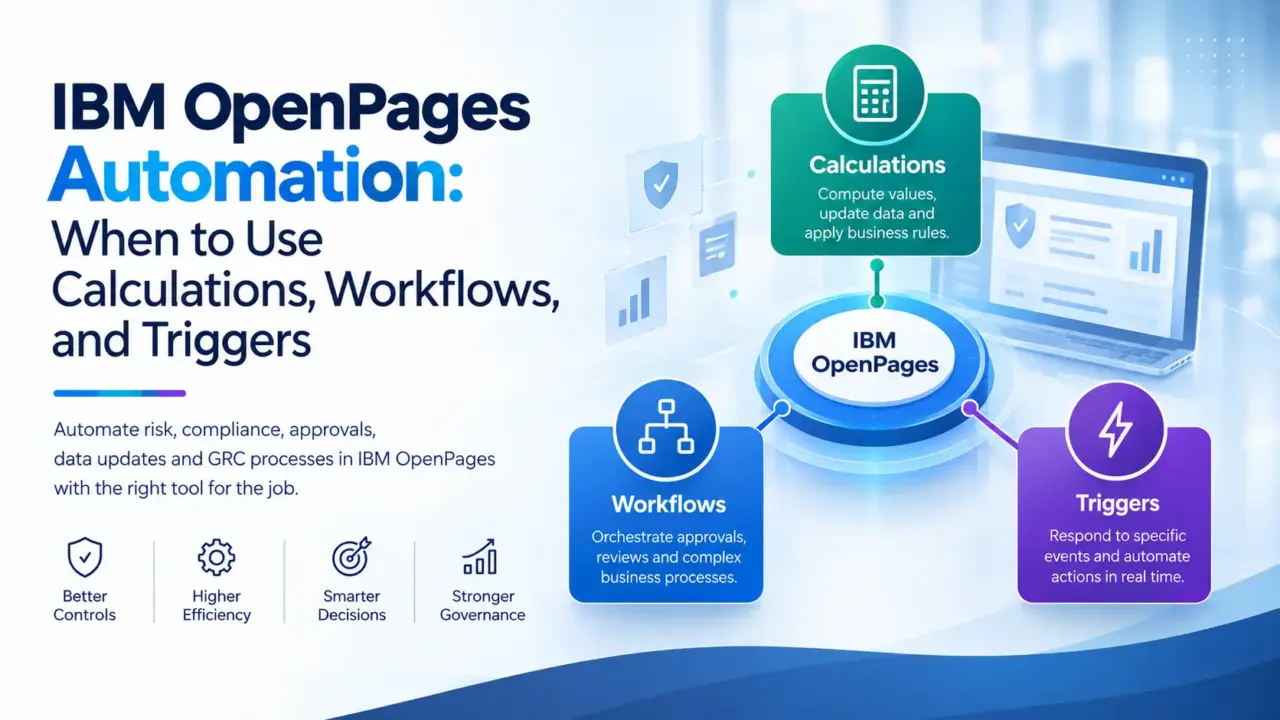
IBM OpenPages provides several ways to automate these requirements, including Calculations, Workflows, and Triggers.
While these capabilities can sometimes appear interchangeable, they solve fundamentally different problems.
Choosing the wrong automation mechanism can result in unnecessary complexity, difficult maintenance, unexpected processing behavior, and solutions that become harder to support as the GRC environment grows.
This article explains the practical differences between OpenPages Calculations, Workflows, and Triggers and provides a framework for choosing the right approach.
—
Understanding the Three Automation Layers
At a high level:
– Calculations are best suited for deriving or updating values.
– Workflows are best suited for managing business processes and approvals.
– Triggers are best suited for event-driven custom logic.
The distinction becomes clearer when looking at a typical GRC requirement.
Consider a Risk record with the following requirements:
When the likelihood or impact changes, calculate the overall risk rating.
If the risk rating becomes High, send it for approval.
When the record is updated, automatically perform additional validation and update related records.
Although these requirements appear connected, they are not necessarily implemented using the same OpenPages feature.
A calculation may determine the rating.
A workflow may manage the approval process.
A trigger may handle custom event-driven logic that cannot easily be achieved through configuration alone.
1. OpenPages Calculations: Let the Platform Calculate
Calculations are primarily intended for deriving values from existing information.
For example, an organization may calculate an inherent risk rating based on:
– Impact
– Likelihood
– Exposure
– Control effectiveness
– Other risk attributes
A simplified example could be:
Inherent Risk = Impact × Likelihood
The resulting value can then be stored on the Risk object or used as an input for another business rule.
Typical use cases
Calculations are useful when the requirement sounds like:
“Based on these fields, determine this value.”
Examples include:
– Risk rating calculations
– Residual risk calculations
– Due-date calculations
– Threshold calculations
– Aging calculations
– Score calculations
– Derived status indicators
– Date-based calculations
For example:
Days Open = Current Date – Issue Creation Date
Or:
Residual Risk = Inherent Risk × Control Effectiveness Factor
The exact implementation depends on the organization’s data model and business rules.
When calculations are the right choice
Use a calculation when:
1. The primary requirement is to derive a value.
2. The logic depends on existing object data.
3. The output can be represented as a field value.
4. No complex user interaction or approval process is required.
What calculations should not become
A common design mistake is trying to use calculations to implement an entire business process.
For example:
“When the risk becomes High, identify the appropriate approver, create an action plan, send notifications, wait for approval, and then update the risk.”
That is no longer simply a calculation problem.
It is a process orchestration problem.
This is where workflows become more appropriate.
2. OpenPages Workflows: Orchestrate the Business Process
Workflows are designed to manage business processes, approvals, assignments, and controlled transitions.
A workflow can take a record through multiple stages while assigning activities to the appropriate users or groups.
Consider a Risk Approval process:
Risk Created
↓
Risk Assessment
↓
Risk Review
↓
Manager Approval
↓
GRC Approval
↓
Approved
Each stage can represent a business activity rather than simply a data calculation.
Typical workflow use cases
OpenPages workflows can be used for processes such as:
– Risk approval
– Control certification
– Issue remediation
– Action plan approval
– Policy approval
– Assessment processes
– Risk acceptance
– Audit finding remediation
– Periodic certification
– Exception approval
A workflow can also use conditions to determine which path a record should follow.
For example:
Risk Rating = High
↓
Additional Approval Required
↓
Senior Risk Officer
While:
Risk Rating = Low
↓
Standard Approval
↓
Risk Owner
This allows organizations to model different business paths without hard-coding every scenario.
3. Triggers: Respond to Events
Triggers become particularly valuable when the requirement is event-driven custom logic.
Instead of asking:
“What value should this field contain?”
or:
“What business process should this record follow?”
the requirement becomes:
“When this event happens, execute specific logic.”
For example:
Risk Updated
↓
Trigger Executes
↓
Validate Business Conditions
↓
Perform Custom Logic
↓
Update Related Data
Triggers can be useful for requirements that go beyond standard configuration capabilities.
Typical examples include:
– Event-based validation
– Custom record updates
– Complex relationship handling
– Synchronizing related objects
– Custom integration logic
– Specialized business rules
– Automated processing after object events
Triggers are particularly useful when an implementation needs logic that cannot be cleanly represented through standard configuration.
Calculations vs Workflows vs Triggers
The easiest way to understand the difference is to focus on the question each capability answers.
Requirement| Best Fit
Calculate a risk score| Calculation
Calculate a due date| Calculation
Determine a derived value| Calculation
Route a record for approval| Workflow
Assign tasks to users| Workflow
Manage a multi-stage process| Workflow
Send users through controlled approval stages| Workflow
Execute custom logic after an event| Trigger
Perform complex event-driven processing| Trigger
Handle specialized integrations| Trigger / Integration
The important point is that these capabilities do not have to operate independently.
In a mature OpenPages implementation, they can work together.
Combining the Three for a Real Business Scenario
Consider an Issue Management process.
A business user creates an Issue containing:
– Issue Type
– Severity
– Impact
– Due Date
– Business Entity
– Issue Owner
The organization wants the following automation:
Step 1: Calculate severity
A calculation determines the Issue Rating from Impact and other assessment attributes.
Impact + Assessment Factors
↓
Calculation
↓
Issue Rating
Step 2: Start the approval process
Based on the resulting rating, a workflow determines the appropriate approval path.
Issue Rating
↓
Workflow
↓
Approval Path
Step 3: Execute custom processing
If the issue meets a specific business condition, additional custom processing may be required.
Issue Updated
↓
Trigger
↓
Custom Validation / Processing
This architecture separates responsibilities instead of forcing one feature to perform everything.
Why Choosing the Right Automation Layer Matters
Poor automation design can create problems that are not immediately visible during development.
For example, implementing complex business logic entirely through triggers may make the solution difficult for administrators to understand.
Similarly, using workflows for simple calculations can introduce unnecessary process complexity.
And embedding large amounts of business logic into calculations can make troubleshooting difficult.
A well-designed OpenPages solution should follow a simple principle:
Use configuration for configuration problems, process automation for process problems, and custom code for problems that genuinely require custom logic.
This improves maintainability and makes the solution easier to explain to both technical and business stakeholders.
A Practical Decision Framework
When designing a new OpenPages requirement, ask these questions in order.
Question 1: Is the requirement primarily mathematical or value-based?
If yes, start with a Calculation.
Example:
“Calculate the residual risk rating.”
Question 2: Does the requirement involve users, approvals, assignments, or stages?
If yes, consider a Workflow.
Example:
“The Risk Owner must review the risk before the GRC team approves it.”
Question 3: Does the requirement need to react to a specific system event?
If yes, evaluate a Trigger.
Example:
“When this object is updated, perform custom validation and update related records.”
Question 4: Can the requirement be solved using standard configuration?
If yes, prefer configuration over custom development.
This reduces technical debt and generally makes future maintenance easier.
Question 5: Does the requirement involve multiple automation mechanisms?
If yes, separate the responsibilities.
For example:
Calculation
↓
Determine Risk Rating
↓
Workflow
↓
Manage Approval
↓
Trigger
↓
Execute Specialized Logic
This is usually cleaner than creating one large piece of custom logic.
Common Implementation Mistakes
1. Using custom code too early
Not every complex requirement requires Java or custom development.
Before implementing a trigger, check whether the requirement can be achieved through:
– Configuration
– Calculation
– Workflow
– Standard OpenPages functionality
Custom code should solve a genuine gap rather than become the default solution.
2. Putting business processes inside calculations
Calculations should primarily calculate.
If a calculation is responsible for approvals, notifications, relationship management, and multiple object updates, the design should be reconsidered.
3. Creating workflows for simple field calculations
A workflow is powerful, but power does not mean it should be used everywhere.
If the requirement is simply:
“Calculate the number of days between two dates.”
A calculation is generally a more natural fit than creating a process around it.
4. Creating triggers without considering maintainability
Triggers can provide significant flexibility, but custom logic introduces another layer that needs to be:
– Developed
– Tested
– Documented
– Deployed
– Monitored
– Maintained
The implementation should therefore clearly document what event activates the trigger and what business rule it implements.
Designing for Maintainability
A strong OpenPages implementation should make it possible for another administrator or developer to understand the automation without reverse-engineering the entire solution.
For every automation, document:
Business Requirement
What problem is being solved?
Trigger Condition
What causes the automation to execute?
Logic
What rules are applied?
Objects
Which OpenPages objects are involved?
Fields
Which fields are read or updated?
Dependencies
Does the automation depend on another calculation, workflow, or integration?
Error Handling
What happens if the expected data is missing or invalid?
This documentation becomes especially important in enterprise environments where OpenPages configurations are migrated across development, test, and production environments.
The Future of OpenPages Automation
As GRC implementations become more sophisticated, automation is moving beyond simply reducing manual data entry.
Organizations increasingly want OpenPages to become an active part of their risk operating model.
Instead of:
User identifies risk
↓
User updates system
↓
Manager reviews
↓
GRC team follows up
the future model is closer to:
Business Event
↓
Risk Detection
↓
Calculation
↓
Workflow
↓
Automated Action
↓
Monitoring
↓
Escalation
This creates a more connected GRC environment where risk information can drive action rather than simply being recorded.
Conclusion
IBM OpenPages provides multiple mechanisms for automating GRC processes, but the most effective implementations do not treat every automation requirement the same way.
Calculations are ideal for deriving values and implementing calculation-based business rules.
Workflows are designed to orchestrate business processes, approvals, assignments, and controlled transitions.
Triggers provide a mechanism for specialized event-driven logic where standard configuration does not adequately address the requirement.
The key is not choosing the most powerful technology.
The key is choosing the simplest appropriate automation layer for the business requirement.
When these capabilities are designed to complement one another, organizations can build OpenPages solutions that are scalable, maintainable, auditable, and capable of supporting increasingly sophisticated GRC processes.
In enterprise GRC, good automation is not about adding more technology.
It is about putting the right logic in the right layer.