

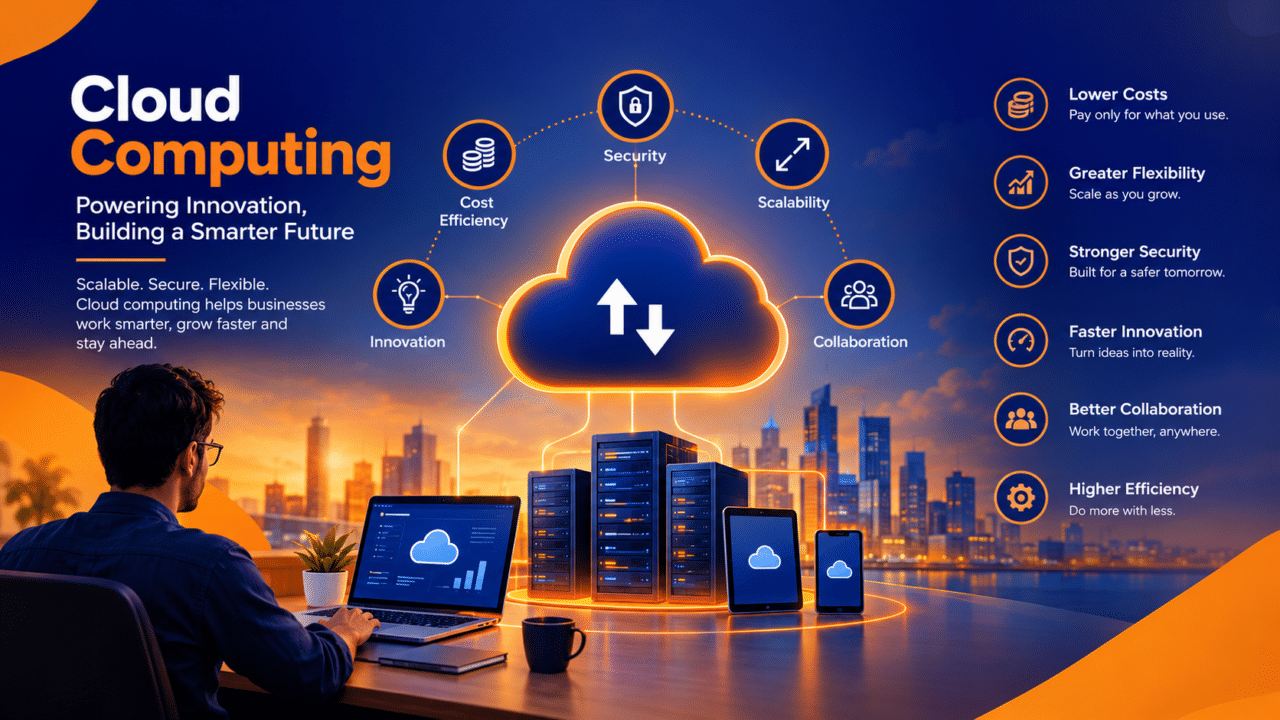
In today’s digital-first world, organizations are continuously looking for ways to improve efficiency, enhance security, reduce operational costs, and accelerate innovation. Traditional IT infrastructure can make it difficult for businesses to adapt quickly to changing market demands. Cloud computing has emerged as a powerful solution, enabling organizations to modernize their IT environments and build a more flexible, scalable, and resilient business foundation.
Cloud computing refers to the delivery of computing resources, including servers, storage, databases, networking, software, and analytics, over the internet. Instead of relying entirely on physical infrastructure, businesses can access technology resources on demand and pay according to their requirements.
From startups to large enterprises, cloud computing is transforming how organizations operate, collaborate, manage data, and deliver services to customers.
1. What Is Cloud Computing?
Cloud computing is a technology model that allows businesses to access computing services through cloud-based platforms rather than maintaining all their IT resources on-premises.
Organizations can use cloud services to host websites, store business data, run applications, manage databases, and support enterprise operations without investing heavily in physical servers and data centers.
Cloud computing offers several advantages, including:
- On-demand access to computing resources
- Reduced dependency on physical infrastructure
- Flexible resource allocation
- Improved accessibility and collaboration
- Simplified IT management
- Faster deployment of applications and services
By adopting cloud computing, businesses can focus more on their core operations while leveraging modern technology to support growth and innovation.
2. Key Types of Cloud Computing
Cloud computing offers different deployment models to meet the varying needs of organizations. Choosing the right model depends on business requirements, security expectations, budget, and operational complexity.
Public Cloud
Public cloud services are delivered by third-party providers through shared infrastructure. Organizations can access computing resources without maintaining their own physical data centers.
Key benefits include:
- Lower infrastructure investment
- Flexible and scalable resources
- Rapid deployment
- Access to managed cloud services
Private Cloud
A private cloud is dedicated to a single organization and provides greater control over its computing environment. It can be hosted within the organization’s data center or managed by an external provider.
Private cloud solutions are suitable for businesses that require greater customization, specific security controls, or strict compliance requirements.
Hybrid Cloud
Hybrid cloud combines private infrastructure with public cloud services, allowing organizations to distribute workloads according to their operational needs.
Businesses can maintain sensitive workloads in controlled environments while using public cloud resources for scalability, application development, and other business requirements.
Multi-Cloud
A multi-cloud strategy involves using services from multiple cloud providers. Organizations may adopt this approach to access specialized capabilities, improve resilience, reduce dependency on a single provider, or meet specific geographic and regulatory requirements.
3. Major Benefits of Cloud Computing
Cloud computing provides several strategic and operational benefits that help organizations improve performance and remain competitive.
Cost Efficiency
Traditional IT infrastructure requires significant investment in hardware, maintenance, power, cooling, and physical facilities. Cloud computing allows organizations to reduce many of these upfront expenses.
Businesses can:
- Minimize capital expenditure on infrastructure
- Pay for resources based on usage and pricing models
- Reduce hardware maintenance requirements
- Optimize IT spending through resource monitoring
- Redirect investments toward strategic initiatives
However, effective cost management remains essential because unused resources, excessive data transfer, and inefficient configurations can increase cloud expenses.
Scalability and Flexibility
Business requirements frequently change due to customer demand, seasonal activity, and expansion. Cloud platforms allow organizations to adjust computing resources according to workload requirements.
This flexibility helps businesses manage traffic spikes, launch new services, expand into new markets, and respond to changing operational demands without purchasing additional physical infrastructure every time.
Improved Accessibility and Collaboration
Cloud-based applications enable employees to access authorized resources from different locations using supported devices and secure connections.
Organizations can improve collaboration through shared documents, centralized data, real-time communication, and cloud-based business applications.
This approach supports distributed teams and modern remote and hybrid working environments.
Faster Innovation
Cloud platforms provide access to development tools, managed databases, automation services, artificial intelligence, and advanced analytics.
Development teams can experiment with new ideas, test applications, and deploy updates more quickly without building every supporting component from scratch.
This helps organizations shorten development cycles and respond faster to customer expectations.
4. Cloud Computing and Business Security
Security is one of the most important considerations when adopting cloud computing. Cloud providers offer various security capabilities, but organizations must configure and manage their environments correctly.
Important cloud security measures include:
- Data encryption at rest and in transit
- Multi-factor authentication
- Identity and access management
- Network security controls
- Continuous monitoring and logging
- Vulnerability management and timely patching
- Regular backups and recovery testing
Businesses must also understand the shared responsibility model. Cloud providers are responsible for certain aspects of the underlying infrastructure, while customers remain responsible for securing their data, identities, applications, and configurations according to the selected service model.
A well-defined cloud security strategy helps reduce risks, improve visibility, and support compliance with applicable regulatory requirements.
5. Cloud Migration: Moving to the Cloud
Cloud migration involves transferring applications, databases, workloads, and other IT resources from existing environments to cloud infrastructure.
A successful migration requires careful planning, technical assessment, risk management, and post-migration optimization.
Organizations typically follow these steps:
Assessment and Planning
Evaluate existing infrastructure, applications, dependencies, business priorities, security requirements, and migration costs.
Cloud Strategy Development
Select an appropriate cloud provider, deployment model, architecture, and migration approach based on business objectives.
Migration Execution
Move selected workloads and data to the target environment using a structured migration plan. Testing should confirm that applications, integrations, and critical business functions operate as expected.
Testing and Validation
Validate application performance, access controls, data integrity, connectivity, and business continuity before completing the transition.
Optimization and Monitoring
Monitor cloud usage, performance, security, and costs after migration. Continuously optimize resources to maintain efficiency and reliability.
A phased migration approach can help organizations reduce disruption, manage dependencies, and address issues before moving additional workloads.
6. Cloud Computing and Artificial Intelligence
Cloud computing plays a significant role in making artificial intelligence (AI) and machine learning (ML) more accessible to businesses.
Developing AI capabilities independently can require specialized infrastructure, significant computing power, and technical expertise. Cloud platforms provide access to managed AI services and scalable computing resources that help organizations build and deploy intelligent applications.
Businesses can use cloud-based AI to:
- Automate repetitive business processes
- Analyze large volumes of data
- Improve customer service through intelligent assistants
- Generate business insights and forecasts
- Detect unusual activity and potential security threats
- Personalize customer experiences
Combining cloud computing with AI enables organizations to experiment with emerging technologies while adjusting resources according to their needs.
7. Business Continuity and Disaster Recovery
Unexpected events such as hardware failures, cyberattacks, human errors, and natural disasters can interrupt critical business operations. Cloud computing can support business continuity by providing backup, replication, and recovery capabilities.
Organizations can strengthen resilience through:
- Automated and regularly tested backups
- Replication across suitable locations
- Redundant infrastructure
- Documented disaster recovery procedures
- Defined recovery time and recovery point objectives
- Continuous monitoring of critical services
Cloud-based disaster recovery can help businesses restore important systems more efficiently after a disruption. However, recovery outcomes depend on the architecture, backup strategy, configuration, and testing practices implemented by the organization.
8. Common Cloud Computing Challenges
Although cloud computing offers substantial benefits, businesses must address several challenges to achieve successful adoption.
Cost Management: Poor resource planning, unused services, and unexpected data transfer charges can increase expenses.
Security and Compliance: Misconfigured permissions, weak authentication, and inadequate monitoring can expose sensitive information.
Migration Complexity: Legacy applications, outdated systems, and interconnected databases may require additional planning before migration.
Vendor Lock-In: Dependence on provider-specific technologies can make future migration or switching providers more complex.
Performance and Availability: Network connectivity, workload architecture, and service dependencies can affect application performance.
Organizations can address these challenges through effective governance, cost monitoring, security controls, architecture planning, and regular performance reviews.
9. Best Practices for Successful Cloud Adoption
A structured approach helps businesses maximize the value of cloud computing while minimizing unnecessary risks.
Recommended practices include:
- Define clear business objectives before migration.
- Assess existing applications and infrastructure.
- Choose cloud services based on technical and operational requirements.
- Establish strong identity and access controls.
- Implement data protection and backup policies.
- Monitor resource utilization and cloud expenditure.
- Automate routine operational tasks where appropriate.
- Train employees in cloud technologies and security practices.
- Review performance, compliance, and resilience regularly.
Cloud adoption should be treated as an ongoing transformation rather than a one-time infrastructure project. Continuous improvement ensures that cloud environments remain aligned with evolving business goals.
The Future of Cloud Computing
Cloud computing continues to shape the future of enterprise technology. As businesses adopt AI-driven applications, automation, advanced analytics, and distributed digital services, cloud infrastructure will remain an important foundation for innovation.
Emerging trends include serverless computing, edge computing, cloud-native application development, platform engineering, and increasingly automated cloud operations. Organizations are also placing greater emphasis on FinOps, which brings financial accountability to cloud spending, and on sustainable infrastructure practices.
The future will not necessarily involve moving every workload to a single public cloud. Instead, successful organizations will choose the right combination of cloud, hybrid, multi-cloud, and on-premises solutions based on their specific requirements.
Businesses that combine a clear cloud strategy with strong governance, security, and cost optimization can build a more adaptable technology environment and create lasting business value.
How Timus Consulting Services Can Help
At Timus Consulting Services, we help organizations navigate technology transformation through strategic consulting, implementation, and IT modernization services. Our approach focuses on aligning technology investments with business objectives while addressing operational efficiency, security, and long-term scalability.
Our expertise includes:
- Cloud Strategy and Assessment
- Cloud Migration and Implementation
- Cloud Infrastructure Modernization
- Cloud Security and Compliance
- Hybrid and Multi-Cloud Solutions
- IT Infrastructure Optimization
- Technology Consulting and Managed Services
Whether your organization is exploring cloud adoption, planning a migration, modernizing existing infrastructure, or optimizing its current cloud environment, a well-defined strategy can help you achieve a more secure, efficient, and scalable IT ecosystem.
FAQs
1. What is cloud computing in simple terms?
Cloud computing is the delivery of services such as servers, storage, databases, networking, and software over the internet. It enables businesses to access computing resources on demand without maintaining all the necessary physical infrastructure themselves.
2. What are the main types of cloud computing?
The main deployment models are public cloud, private cloud, hybrid cloud, and multi-cloud. Each model offers different levels of control, flexibility, management responsibility, and infrastructure choice.
3. What are the biggest benefits of cloud computing for businesses?
The primary benefits include improved scalability, reduced upfront infrastructure investment, faster application deployment, easier collaboration, access to advanced technologies, and enhanced business continuity capabilities.
4. Is cloud computing secure?
Cloud computing can provide strong security capabilities, including encryption, identity management, monitoring, and backup services. However, security depends on proper configuration, access controls, governance, and the shared responsibilities of the cloud provider and customer.
5. What is cloud migration?
Cloud migration is the process of moving applications, data, and IT workloads from on-premises infrastructure or another environment to a cloud platform. It typically involves assessment, planning, migration, testing, and ongoing optimization.
6. How does cloud computing reduce IT costs?
Cloud computing can reduce upfront hardware investments and ongoing infrastructure maintenance expenses. Businesses can also optimize costs by selecting appropriate service models, monitoring resource consumption, and removing unused resources. Actual savings depend on workload requirements and cloud usage patterns.
7. What is the difference between public cloud and private cloud?
Public cloud services use infrastructure provided by a third-party cloud provider, while a private cloud is dedicated to a single organization. Public cloud often offers greater flexibility and lower initial investment, whereas private cloud can provide greater control over the environment.
8. How can businesses get started with cloud computing?
Businesses should begin by identifying their objectives, assessing their current IT infrastructure, reviewing security and compliance requirements, estimating costs, and selecting an appropriate cloud strategy. Starting with a planned pilot or phased migration can help validate the approach before expanding adoption.